

How to Plan an E-Bike Ride Without Cell Service: Offline Maps, Trip Plans, and Backup Communication
Losing cell service should not mean losing your route, your weather plan, or your connection to help.
Before an e-bike ride beyond reliable coverage, confirm that the route permits your exact bike, download maps for offline use, carry a paper backup, share a detailed trip plan, establish a battery turn-around point, and understand any satellite or emergency device you carry.
1. Confirm the Route Is Legal Before Saving the Map
An offline map can show a road or trail without proving that your e-bike is allowed there.
In the United States, the Bureau of Land Management explains that its e-bike rule did not automatically open non-motorized trails. On BLM land, e-bikes may use non-motorized bicycle routes only when a manager has issued the required site-specific authorization; otherwise, riders must follow the applicable motorized-route and local decisions. Bureau of Land Management
Parks Canada also directs riders to check the individual park. Its published definition for pedal-assist e-bikes on permitted trails includes a motor limit, maximum assisted speed, and other operating requirements. Throttles are prohibited on trails even where certain pedal-assist e-bikes are allowed. parks.canada.ca
Before departure, verify:
- The exact route and managing agency.
- Current e-bike access for your bicycle’s configuration.
- Seasonal closures, fire restrictions, trail conditions, and permit requirements.
- Whether the route crosses land managed by another agency.
- Where motor assistance must be switched off or the bicycle walked.
Save an official route map and contact the local land manager when wording is unclear. Crowdsourced maps are not the final authority on access.
2. Build a Three-Layer Navigation System
Use three navigation layers rather than relying on one screen.
Layer 1: An Offline Digital Map
Download the required map area before leaving home. Open it after disabling mobile data to confirm that the basemap, route line, junction names, parking area, and planned exits remain visible.
The National Park Service Trip Planning Guide notes that maps in its app can be downloaded for offline use. However, it still advises carrying a paper map because a phone can be lost, damaged, or run out of power. nps.gov
Layer 2: A Paper Backup
Mark the:
- Starting point.
- Intended route.
- Important decision points.
- Turn-around location.
- Water or shelter locations.
- Safe exits.
Keep the map dry and accessible—not buried beneath all your cargo.
Layer 3: Simple Written Route Notes
Write down the junction sequence, distances, landmarks, and safest exit. These notes help when an application fails or several trails look similar.
A screenshot is not a complete navigation system; it may omit scale, exits, closures, or the area needed after a wrong turn.
3. Leave a Trip Plan With Someone Who Is Not Riding
A trip plan is different from posting a destination on social media. It tells a responsible person what to do if you do not return.
The National Park Service recommends sharing where you are going, what you are doing, when you will return, and when the trusted contact should notify authorities. Parks Canada gives similar guidance and warns that remote cell coverage is not always reliable. nps.gov
Include:
| Trip-plan field | Information to record |
|---|---|
| Riders | Names, phone numbers, relevant medical or accessibility information |
| E-bike | Brand, model, color, and distinguishing details |
| Vehicle | Parking location, make, color, and plate |
| Route | Trailhead, roads or trails, direction, planned stops, and alternate exits |
| Timing | Start time, turn-around time, expected return, and overdue trigger |
| Equipment | Navigation tools, emergency kit, and communication devices |
| Contact process | Which agency or emergency number to call and what information to provide |
Update your contact before changing the route and confirm when everyone returns.
For Canadian trips, AdventureSmart offers a browser-based trip-planning tool. Its mobile app has been temporarily unavailable since February 10, 2026, but the organization says its web tool remains available. AdventureSmart
4. Know What Your Phone Can and Cannot Do Offline
A phone may continue receiving satellite-position information without cellular data, but the mapping application needs the relevant map files downloaded in advance. Test the exact phone and application before relying on them.
Prepare the phone by:
- Downloading the complete route and surrounding area.
- Saving official emergency and land-manager numbers.
- Carrying a separate power bank and suitable cable.
- Protecting the phone from weather and impact.
- Reducing unnecessary screen use.
- Keeping navigation available if another rider’s phone fails.
The USB port on an e-bike can be convenient where supported, but it should not be the only plan for keeping a navigation phone alive. A failure could remove both navigation and backup power at once.
5. Decide Whether You Need Satellite Communication
A cell phone is useful where service exists, but it is not a backcountry guarantee.
Parks Canada’s current emergency guidance says satellite communicators may be used to initiate an emergency response and advises owners to understand the instructions and limitations of their specific devices. parks.canada.ca
Possible tools include:
- A two-way satellite messenger.
- A personal locator beacon designed to transmit a distress alert.
- A satellite-capable phone or phone feature.
- A radio appropriate to the location and group.
Compare coverage, subscription status, message capability, battery life, testing procedures, and how an SOS reaches responders.
Activate the device when required, enter emergency contacts, and use the manufacturer’s approved test procedure. Carry it where it remains accessible after a fall—not at the bottom of a tightly packed bag.
Use emergency functions only according to the device instructions and actual circumstances. Your trip plan should define when a late return becomes a genuine concern.
6. Plan Bicycle Energy and Communication Energy Separately
A large e-bike battery does not eliminate range uncertainty. Climbing, temperature, soft surfaces, tire pressure, cargo, wind, speed, assistance level, and route changes can all affect energy use.
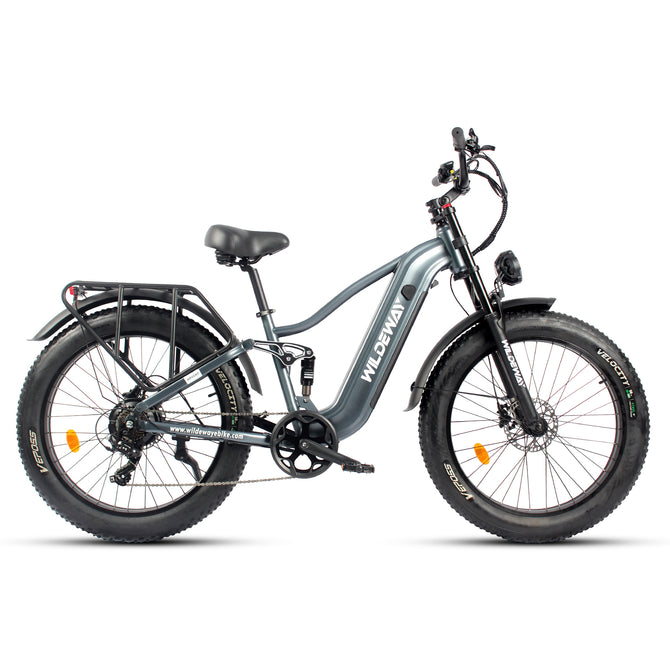
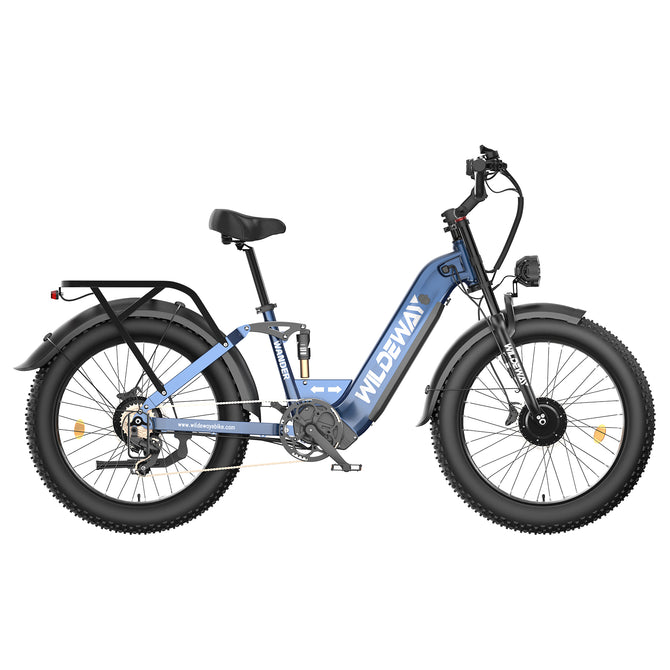
The current WILDEWAY Wander Ultra page consistently identifies:
- A 48V 30Ah, 1,440Wh battery.
- 26 × 4.0-inch tires.
- Front and rear suspension.
- Front and rear hydraulic disc brakes.
Those features suit mixed-surface trip planning, but they do not guarantee a particular remote-route distance. Wildeway
Set a turn-around rule before riding. Base it on:
- Your own recent energy use.
- The harder direction of travel.
- Elevation gain.
- Trail or road surface.
- Forecast temperature and wind.
- Cargo.
- Possible detours.
Do not plan the outward leg around consuming nearly all available energy.
Keep the phone, satellite device, lights, and e-bike battery on separate checklists, with appropriate backup power.
7. Download the Weather Plan, Not Just the Route
Check the forecast, watches, warnings, fire information, air quality, and trail alerts as close to departure as practical. Record the conditions and update time.
The National Weather Service recommends monitoring forecasts before outdoor travel and planning an alternative before a warning becomes urgent. It also notes that cellular and internet service may disappear in remote areas and that weather-radio reception has its own geographic limits. weather.gov
Identify:
- A time or condition that will cancel the ride.
- Locations exposed to lightning, flooding, wind, heat, cold, or falling debris.
- Safe retreat directions.
- A shorter legal alternative route.
- The last reliable place to obtain an updated forecast.
An old downloaded forecast cannot warn you about every change. Watch the sky, temperature, wind, water levels, smoke, and trail conditions. Turn around early when conditions stop matching the plan.
No-Service E-Bike Checklist
| Check | Ready when… |
|---|---|
| Access | The exact bike is permitted on the entire intended route |
| Offline map | The map works with mobile data disabled |
| Paper navigation | Map and route notes are protected and accessible |
| Trip plan | A trusted person has the route, return time, and escalation instructions |
| Bicycle energy | A conservative turn-around rule is set |
| Device energy | Phone and communication device have independent backup power |
| Communication | Satellite or radio equipment is activated, tested, and understood |
| Weather | The latest forecast and a safe Plan B are recorded |
| Group | Every rider knows the route, exits, and emergency procedure |
What to Do if You Become Unsure of the Route
Stop before uncertainty becomes a larger navigation error. Think, observe, and compare the landscape with your last confirmed location and both maps.
AdventureSmart recommends the “STOP” approach—Stop, Think, Observe, and Plan—and advises staying put when lost because continued movement can expand the search area. AdventureSmart
Do not:
- Split the group.
- Ride farther merely because a track looks passable.
- Cross a closure.
- Leave a designated route to create a shortcut.
- Climb dangerous terrain solely to search for a phone signal.
If you can safely return to the last confirmed junction, do so. Otherwise, protect the group from weather, communicate using the appropriate method, and follow responder instructions.
Frequently Asked Questions
Will Phone GPS Work Without Cell Service?
The phone may still determine its location, but the application needs offline map data. Download and test the full area before departure, and carry a paper backup.
Is a Satellite Messenger Required for Every E-Bike Ride?
No. The decision depends on remoteness, terrain, group size, expected coverage, and access to help. For genuinely remote routes, official park guidance recommends considering satellite communication rather than relying only on a phone.
Can I Ride Wander Ultra on Any Backcountry Trail?
No. Access depends on the land manager, route designation, bicycle configuration, and local rules. Confirm the exact route before riding; a trail shown on a map is not automatically open to every e-bike.
How Much Battery Should I Reserve for the Return?
There is no universal percentage. Set a conservative turn-around point using your actual bicycle, route, surface, elevation, weather, and recent energy use. Leave additional capacity for detours and slower-than-planned travel.
Does Live Location Sharing Replace a Trip Plan?
No. Live sharing may stop when coverage or power fails. A trusted person still needs the planned route, expected return time, and instructions for reporting an overdue group.
What Should My Contact Do if I Am Overdue?
They should follow the agreed trigger time and instructions, contact the appropriate emergency or land-management authority, and provide the complete trip plan. Avoid vague directions such as “send help if I’m late.”
Conclusion
A reliable no-service e-bike plan combines legal route confirmation, offline and paper navigation, a written trip plan, separate power planning, current weather information, and communication suited to the location.
Wander Ultra’s 1,440Wh battery, 26 × 4.0-inch tires, full suspension, and hydraulic disc brakes make it relevant for riders comparing outdoor-oriented e-bikes. Those features expand planning options; they do not replace access checks, a turn-around rule, or emergency preparation.
Explore the WILDEWAY Wander Ultra for permitted mixed-surface rides, campsite access, and outdoor utility—then plan every remote trip around verified conditions rather than the maximum distance shown on a product page.


